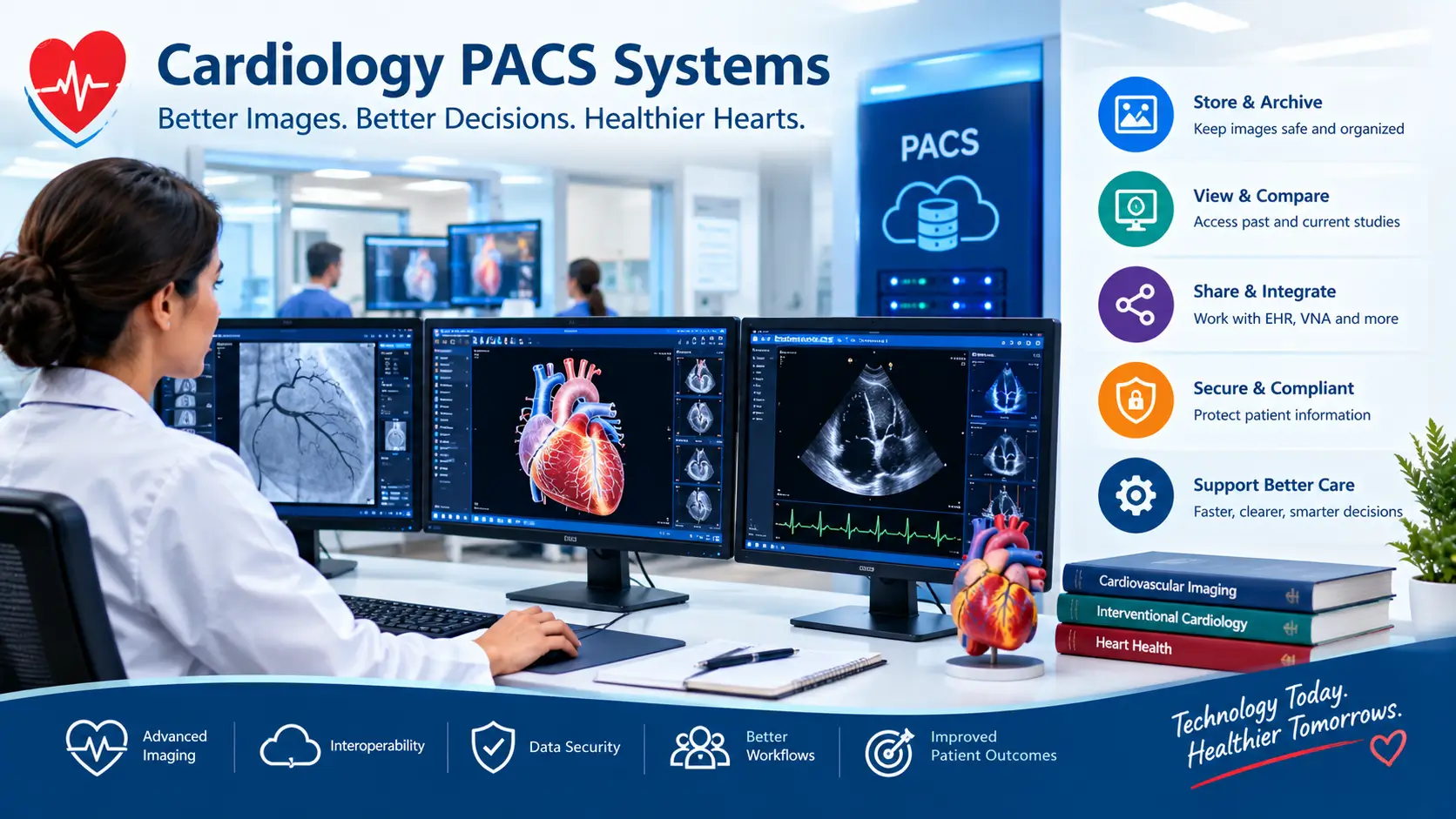

Cardiology PACS systems are digital tools that store, organize, view, and share heart images and related data. They help cardiology teams access imaging studies, compare past exams, and support clinical reporting.
Have you ever wondered where your heart test images go after an exam?
A modern hospital may create thousands of medical images each day. These images can come from echocardiograms, CT scans, MRI exams, and other tests.
Cardiology PACS systems help teams manage these images in one digital environment. PACS means Picture Archiving and Communication System. It can store images and make them available to approved healthcare users.
These systems can also connect with electronic health records. Some can support structured reports, image comparison, and advanced viewing tools. Features vary between products and healthcare organizations.
This guide explains how PACS works in simple terms. You will learn about its main features, benefits, security needs, and common uses. You will also learn about Synapse, Change Healthcare, Optum, and other PACS-related terms.
What Are Cardiology PACS Systems? ❤️
PACS is a digital system for managing medical images. The name stands for Picture Archiving and Communication System.
A cardiology PACS focuses on heart and vascular imaging. It can help store and display studies from different cardiac tests.
For example, a cardiology department may use images from:
- Echocardiography
- Cardiac CT
- Cardiac MRI
- Nuclear cardiology
- Cardiac catheterization
- Vascular imaging
- Other supported imaging sources
PACS can help doctors find current and past studies. This can make image comparison easier during patient care.
The system also works with medical imaging standards. DICOM is a key standard used for medical images and related information. It supports communication between imaging equipment and healthcare systems.
What does PACS do?
A PACS can perform several basic tasks.
| Function | What it does |
| Archive | Stores medical images for later access |
| View | Displays images on approved workstations |
| Retrieve | Finds older patient studies |
| Share | Sends images to connected systems |
| Report | Supports clinical documentation and reports |
The exact functions depend on the PACS product.
Some systems also connect with an EHR. An EHR is the electronic record used for patient care.
This connection can help doctors review images and patient information together. Modern systems may also connect with a VNA, or Vendor Neutral Archive.
A VNA is a storage system designed to keep medical images across different vendors. PACS and VNA can work together in larger healthcare networks.
How Do Cardiology PACS Systems Work? 🩺
A PACS usually sits between imaging equipment and clinical users.
First, an imaging device creates a study. The system then sends the study to the PACS.
The PACS receives and stores the image data. Authorized users can later search for the study.
A doctor can open the study through a connected viewer. The doctor may compare it with older images when available.
DICOM helps different imaging systems communicate. ACR resources also describe PACS connections for querying and retrieving DICOM studies.
A simple example
Imagine a patient named Robert.
Robert receives an echocardiogram at a hospital. The imaging system sends the study to the hospital’s PACS.
Six months later, Robert returns for another heart test. His cardiologist can open the older study.
The doctor can then compare both exams when the system supports that workflow.
This can help the care team review changes over time. The PACS itself does not diagnose disease.
Instead, it provides tools for storing and viewing medical information.
Why DICOM matters
DICOM stands for Digital Imaging and Communications in Medicine.
It provides a common way to handle medical imaging data. It can include images, study details, and related information.
Without shared standards, systems from different vendors may have trouble exchanging data.
DICOM also supports different services for storing, retrieving, displaying, and processing medical images.
That makes interoperability an important part of modern imaging systems.
What Problems Can Cardiology PACS Systems Help Solve?
Cardiology departments often handle large amounts of imaging data. Managing that data can become difficult without good digital tools.
Older workflows may depend on separate systems for different tests. This can create extra steps for staff.
A modern PACS may bring several imaging sources into one workflow. This can make it easier for approved users to find studies.
Common workflow challenges
Healthcare organizations may face problems such as:
- Large imaging files
- Many imaging devices
- Separate storage systems
- Repeated data entry
- Limited access between departments
- Difficult image comparison
- Slow reporting workflows
- Different systems from different vendors
PACS cannot solve every IT problem. However, it can support a more connected imaging workflow.
The American College of Radiology describes PACS connections for image retrieval and submission. Its current systems also support DICOM-based workflows.
A real-world example
Sarah visits a hospital after moving to a new city.
Her old cardiac images come from another healthcare system. The new hospital needs a way to receive and review those images.
A connected imaging workflow can help staff retrieve outside studies. The exact process depends on system connections and hospital policies.
This is one reason interoperability matters.
A PACS may connect with an EHR, VNA, imaging devices, and other software. The goal is to help authorized users access the right information.
What Features Should a Cardiology PACS Have? 📋
The best system for one hospital may not fit another hospital. Healthcare organizations should first define their needs.
A small cardiology practice may need basic image storage and viewing. A large health network may need enterprise imaging and many integrations.
Important features to consider
Image viewing:
The system should provide a clear way to review supported cardiac studies.
Image comparison:
Doctors may need to compare current and older exams.
Interoperability:
The system should work with important clinical systems and standards.
Structured reporting:
Structured reports can help organize measurements and findings.
Security:
The system should protect patient information from unauthorized access.
Scalability:
Large organizations may need a system that can grow with their imaging volume.
Remote access:
Some systems support approved access from different locations.
Cloud options:
Some modern platforms offer cloud-based or hybrid deployment models.
Advanced visualization:
Some systems support tools for advanced cardiac imaging.
AI integration:
Some platforms can connect with AI tools for image analysis.
These features are not identical across vendors.
For example, Fujifilm says its Synapse Cardiology PACS supports interoperability, third-party software, advanced reporting, and a zero-download viewer.
Optum’s current Change Healthcare Cardiology PACS information describes a single-database cardiovascular solution. It can integrate with an EHR and VNA.
Synapse Cardiology PACS and Other Common Systems
People searching for cardiology PACS may see several vendor names online.
One common search is Synapse Cardiology PACS. Synapse is a Fujifilm healthcare imaging platform.
Fujifilm describes its cardiology PACS as a cardiovascular imaging management solution. It supports image access, interoperability, third-party integrations, and reporting tools.
The platform can also support current and historical imaging information. Fujifilm describes cloud-ready and on-premise deployment options.
Change Healthcare PACS
Another common search is Change Healthcare PACS.
Change Healthcare’s cardiology imaging products are now presented through Optum Business. Optum describes Change Healthcare Cardiology PACS as part of a cardiovascular portfolio.
The system is described as a single-database solution. It can connect with EHR and VNA systems.
Its portfolio also includes cardiology tools for cath, echo, ECG management, vascular ultrasound, and analytics.
Optum PACS
People may also search for Optum PACS.
Optum currently provides information about Change Healthcare’s cardiology imaging products. The exact product name and deployment options should be confirmed directly with the vendor.
Healthcare organizations should compare features based on their own workflow. They should also review security, support, integration, training, and total costs.
Fuji PACS Synapse
Fuji PACS Synapse usually refers to Fujifilm’s Synapse family of imaging systems.
Fujifilm describes Synapse as an enterprise imaging platform. Its cardiology tools can support cardiac imaging and reporting workflows.
Other PACS products may also appear in searches. Names such as Picom can refer to imaging technology or PACS solutions.
Always check the vendor’s current product page before making a purchasing decision.
What Are the Benefits of Cardiology PACS Systems? ❤️
A well-designed PACS can support several parts of cardiac imaging care.
The biggest benefit is easier access to digital images. Doctors can review studies without depending on printed films.
PACS can also support image comparison. Looking at earlier studies can provide useful context during patient care.
Possible benefits include
- Easier image access
- Faster study retrieval
- Better image organization
- Easier comparison of older studies
- Digital reporting workflows
- Better communication between departments
- Integration with other healthcare systems
- Support for remote reading
- Reduced dependence on physical films
The American College of Radiology notes that PACS can support digital image workflows. It also describes direct connections between PACS and other imaging systems.
PACS may also help education and research.
Doctors and trainees can review previous cases when appropriate. Hospitals may also use imaging data for quality work and approved research.
Still, technology does not replace clinical judgment. A cardiologist or other qualified clinician must interpret medical findings.
Security, Privacy, and Data Protection ⚠️
Cardiac images contain private health information. Hospitals must protect this information carefully.
Security should cover both stored data and data moving between systems.
Healthcare organizations may use access controls, authentication, encryption, monitoring, and other safeguards.
The exact security design depends on the organization and vendor.
Fujifilm describes its Synapse Cardiology PACS as using a secure server-side design.
Healthcare teams should also plan for system outages. A hospital needs a backup plan if PACS becomes unavailable.
What should hospitals ask vendors?
Before choosing a PACS, a hospital can ask:
- How does the system protect patient data?
- How does it connect with the current EHR?
- Which DICOM services does it support?
- Does it support cloud or local deployment?
- How does backup and recovery work?
- How does the vendor handle updates?
- What training does the vendor provide?
- What support is available during outages?
These questions can help a health system understand the full product.
Cost should also include more than the software price. Hardware, storage, migration, training, support, and integration can add costs.
How to Choose Cardiology PACS Systems
Choosing a PACS is a major technology decision. The hospital should first understand its current workflow.
A cardiology department can list every imaging source it uses. It can then identify how each system stores and sends data.
The team should also identify its current problems.
For example, a hospital may struggle with separate image databases. Another may need better EHR integration.
A simple selection checklist
1. Define your needs
List your imaging types, users, locations, and reporting needs.
2. Check interoperability
Confirm DICOM and other required connections.
3. Review clinical workflow
Test how doctors find, view, compare, and report studies.
4. Review security
Ask about access controls, data protection, backups, and recovery.
5. Test integration
Check connections with EHR, VNA, AI tools, and other systems.
6. Review scalability
Think about future imaging volume and new facilities.
7. Compare support
Ask about training, technical support, updates, and service response.
8. Calculate total cost
Include licensing, storage, migration, support, and implementation.
A good technical fit depends on the healthcare organization’s needs.
There is no single PACS that fits every cardiology department.
When Can PACS Problems Affect Patient Care? ⏱️
PACS problems can create delays in accessing medical images. These delays may affect workflow when clinicians need previous studies.
Common technical problems can include network issues, server problems, integration failures, or incorrect data routing.
Image data can also arrive with incomplete or incorrect information. This may require staff to correct the study details.
ACR resources show that PACS connections depend on correct configuration. They also note that PACS administrators or IT teams may need to resolve communication problems.
What should staff do during an outage?
Healthcare organizations should follow their downtime plan.
Staff may need approved backup methods to access important clinical information. IT teams should investigate the technical problem.
Clinicians should follow hospital policy for urgent patient care.
Patients usually do not need to manage PACS themselves. PACS is mainly a healthcare technology system used behind the scenes.
If your doctor says an image is unavailable, ask when it may become available. You can also ask whether another copy exists.
A PACS problem does not automatically mean your medical care is unsafe. The response depends on the situation and the hospital’s backup systems.
Q: What are cardiology PACS systems used for?
A: They store, organize, retrieve, and display cardiovascular images. They can also support reporting and system integration. The exact features depend on the product and healthcare organization.
Q: What is Synapse Cardiology PACS?
A: Synapse Cardiology PACS is a Fujifilm cardiovascular imaging platform. Fujifilm says it supports image access, interoperability, third-party integrations, and advanced reporting.
Q: What is Change Healthcare PACS?
A: Change Healthcare Cardiology PACS is part of Optum’s current cardiovascular technology portfolio. Optum describes it as a single-database solution that can integrate with EHR and VNA systems.
Q: Is Optum PACS the same as Change Healthcare PACS?
A: Current Optum Business pages present Change Healthcare Cardiology PACS within Optum’s healthcare technology portfolio. Product names and offerings can change, so organizations should confirm current details with Optum.
Q: What does Fuji PACS Synapse mean?
A: It generally refers to Fujifilm’s Synapse imaging platform. Fujifilm offers Synapse solutions for enterprise and cardiology imaging workflows.
Q: Can cardiology PACS systems connect with an EHR?
A: Yes, many modern systems support EHR integration. For example, Fujifilm and Optum describe integration with clinical systems. The exact connection depends on the hospital and product.
Q: Do PACS systems use DICOM?
A: Yes, DICOM is a major standard for medical imaging communication. PACS can use DICOM services to store, query, retrieve, and exchange imaging data.
Conclusion
Cardiology PACS systems help healthcare teams manage digital heart images and related data. They can support image storage, viewing, retrieval, comparison, and reporting.
Modern platforms may also connect with EHRs, VNAs, imaging devices, and advanced software. Synapse from Fujifilm and Change Healthcare Cardiology PACS from Optum are examples found in the current market.
Choosing a PACS requires careful review of workflow, security, interoperability, support, and total cost. Each hospital has different needs.
Patients usually do not interact with PACS directly. However, these systems can support the teams who manage their heart imaging.
Technology can make information easier to access, but doctors still make clinical decisions.
Talk to your cardiology team if you have questions about your heart tests or images.
Medically reviewed for accuracy. Always consult a licensed cardiologist for personal advice.